 Mates & Me
Casa Sol · Pool villa
5 nights · 2 guests · EUR
Airbnb total€1,260.00
Direct total€1,080.00
Direct is €180.00 cheaper.
Compare the same dates, guests and currency.
Your new travel mate
Found somewhere you’d love to stay on Airbnb? Mates helps you find another way to book with the same host or property company, through their own website. Compare the totals, then choose where to book.
 Mates & Me
Casa Sol · Pool villa
5 nights · 2 guests · EUR
Direct is €180.00 cheaper.
Compare the same dates, guests and currency.
Illustrative example. Fictional property and prices.
Same stay. Same people.The host’s own website. Another way to book.
Compare the whole stay.Look at totals, not just nightly rates.
Keep the choice yours.Either website can be cheaper.
Finding more Mates
We don’t have matched properties everywhere in the world yet. We’re adding more as quickly as we can.
Coverage varies by town and property, even in the areas listed here.
Small extension. Useful extra check.
From installing Mates to comparing your first stay.
Follow the six steps below.
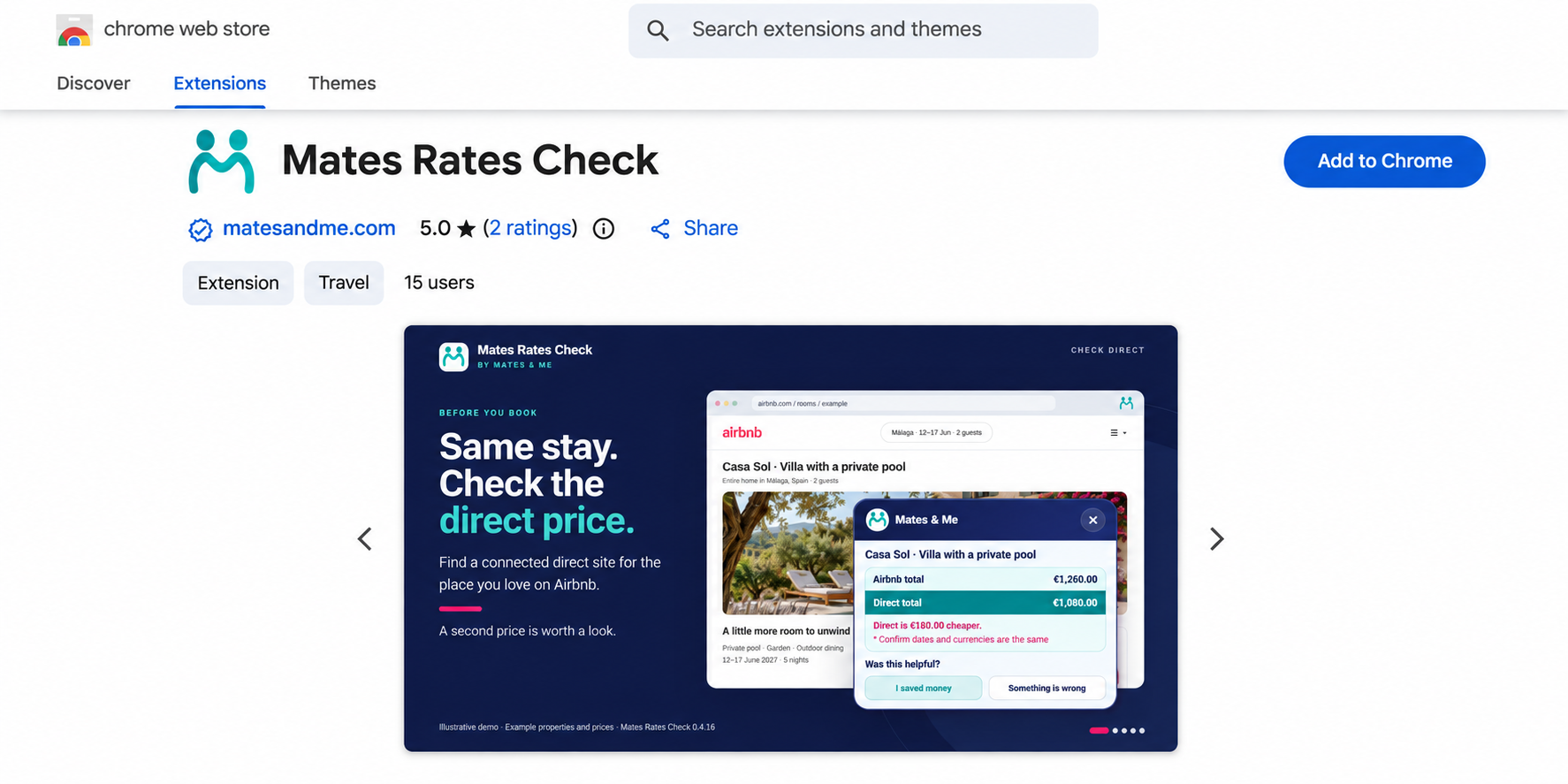
On the Chrome Web Store page, click “Add to Chrome” and confirm “Add extension”.
Then open Chrome’s puzzle-piece menu and pin Mates so its teal icon stays beside your address bar.
 View larger
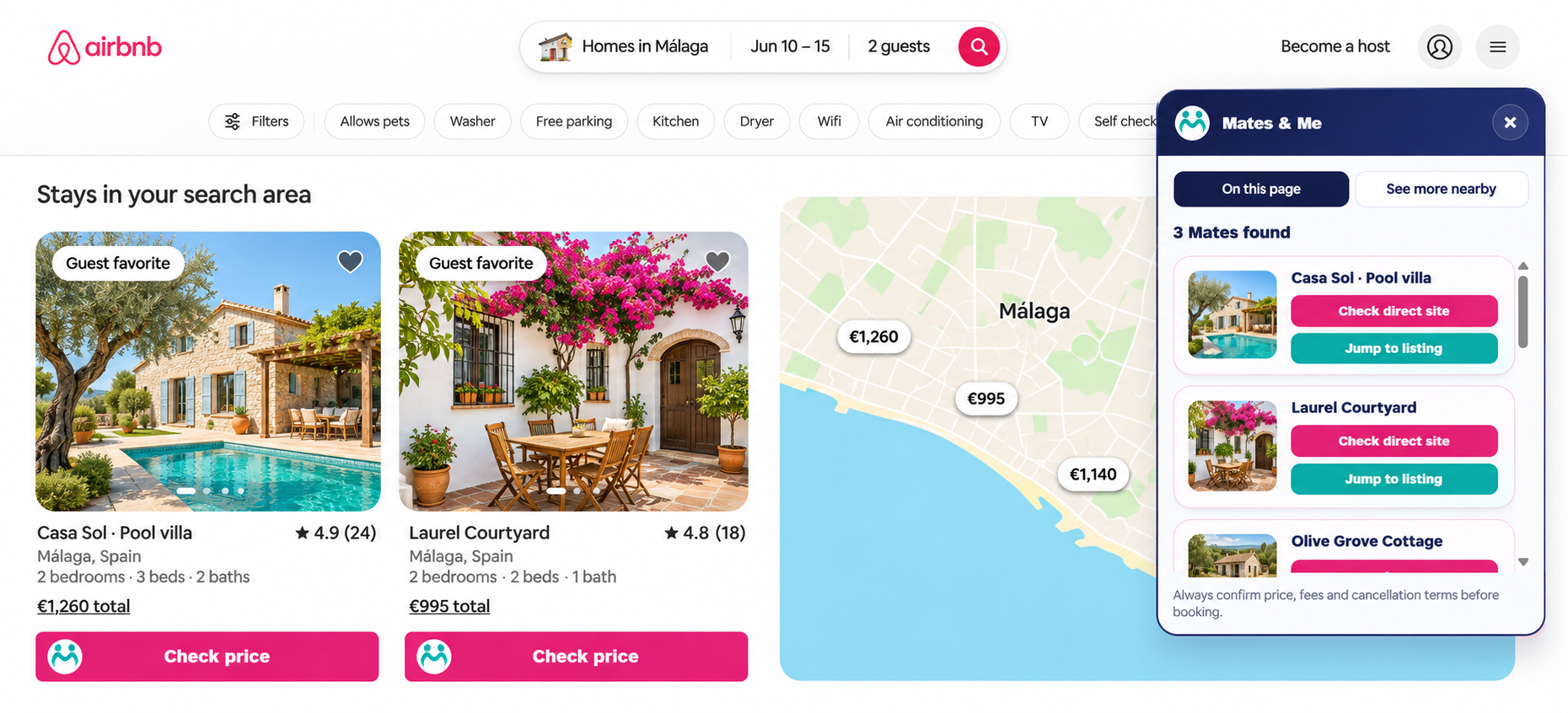
Search Airbnb with your dates and guests. Mates highlights connected stays with pink “Check price” buttons.
The “On this page” panel gathers the connected stays from your results.
 View larger
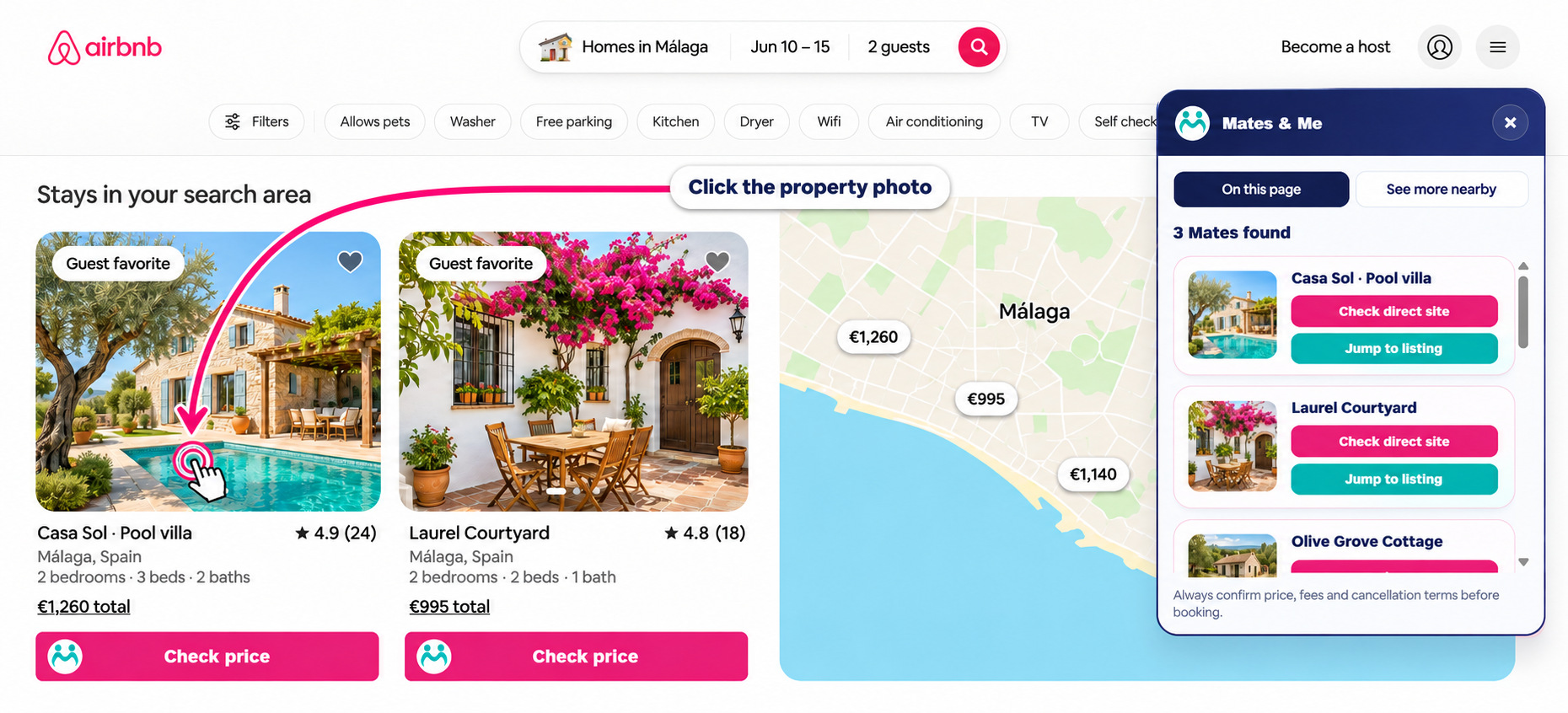
Click the property photo in your Airbnb search results to open the full listing.
Check the stay on its Airbnb page before continuing to the direct booking site.
 View larger
On the Airbnb property page, choose “Check direct price” in the Mates card.
On the direct site, check that your dates, guests and currency match.
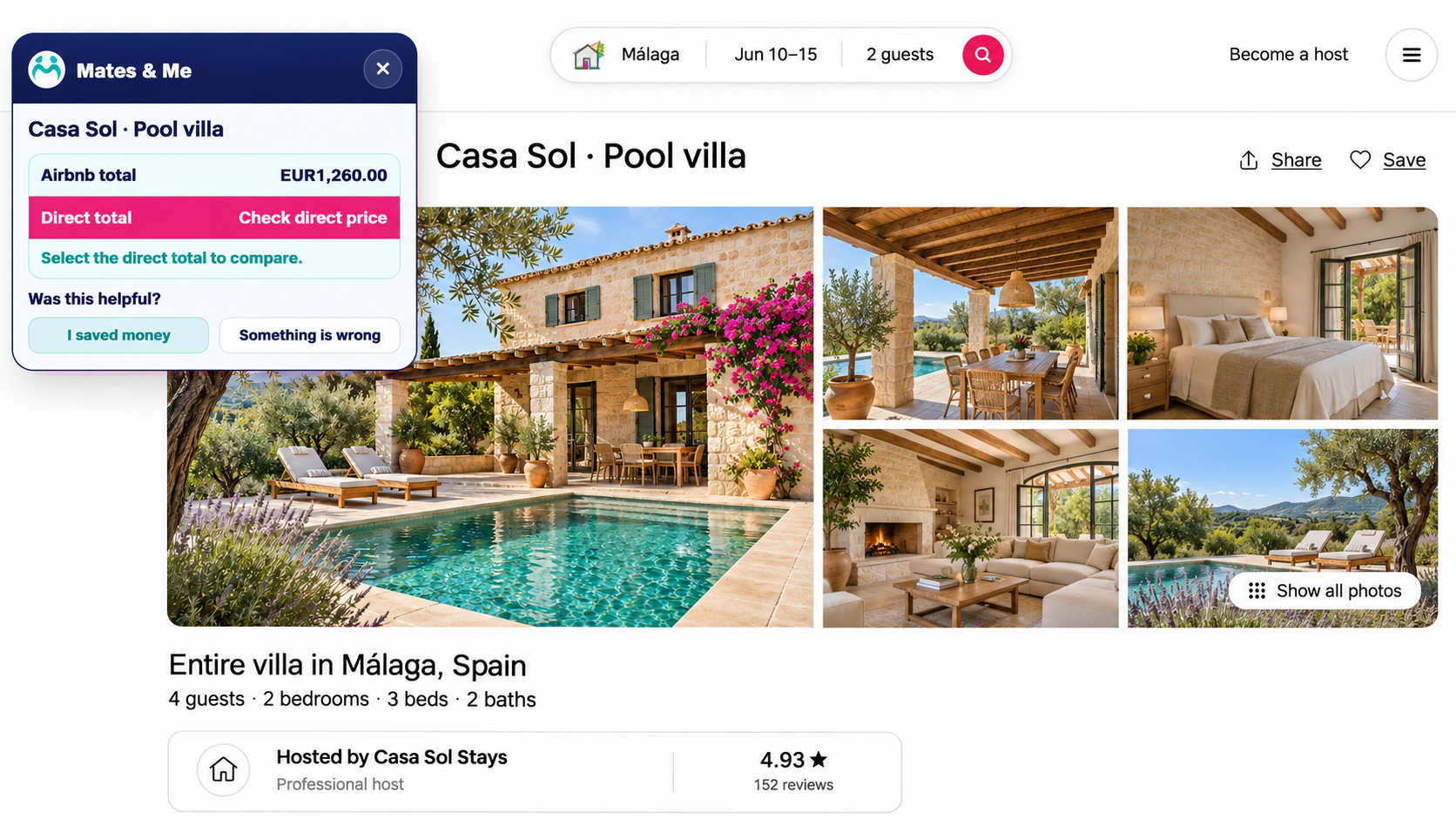 View larger
On the direct booking site, click the teal Mates icon beside your address bar.
Choose “Pick this total” to start selecting the price.
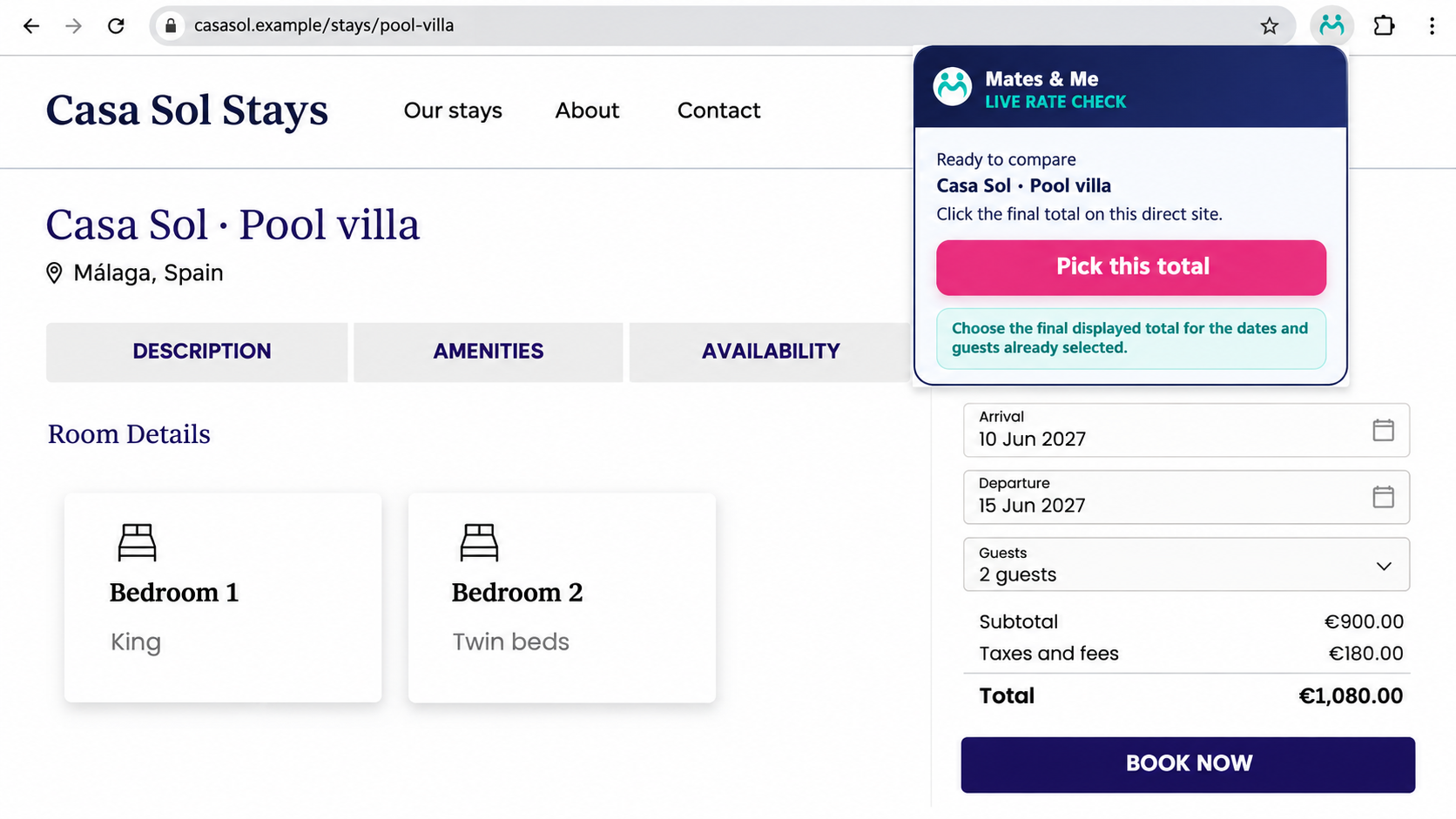 View larger
Move over the final total for the whole stay, including taxes and fees, then click the highlighted price.
Mates compares the two totals and shows which option is cheaper.
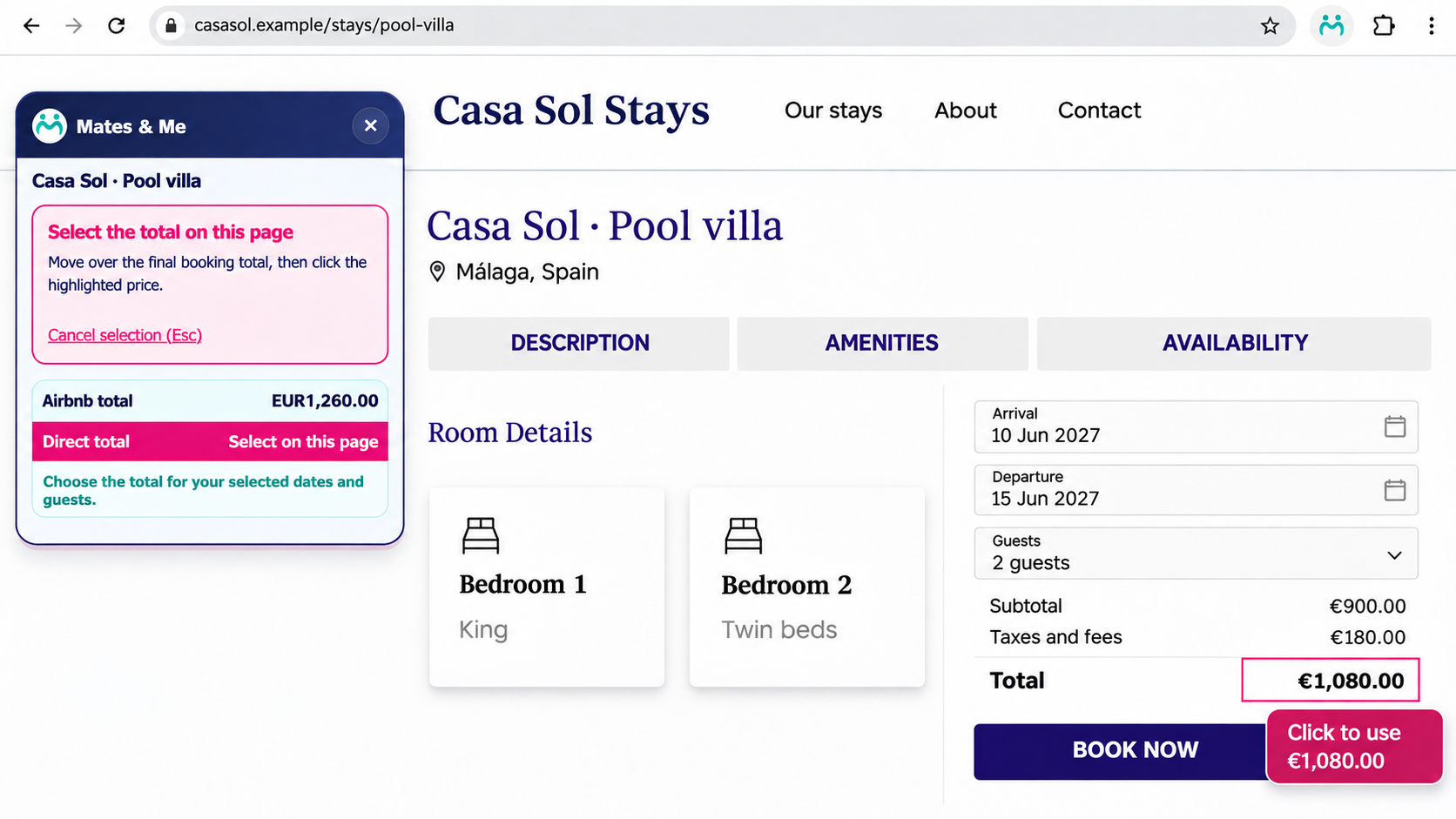 View larger
Store screenshot cleaned up for clarity. Booking screenshots use fictional property details and photos.
Installation, pinning and your first price comparison, in 76 seconds.
A few more possibilities.
Still looking? There may be more connected stays just beyond your current results. Here’s how to find them.
The “On this page” tab shows connected stays from the Airbnb results you’re browsing.
These are the properties marked with a pink “Check price” button.
View larger
Switch tabs in the Mates panel to reveal more stays with connected direct sites around your search area.
Choose “View on Airbnb” to open a suggestion, then use Mates on its Airbnb page to check the direct price.
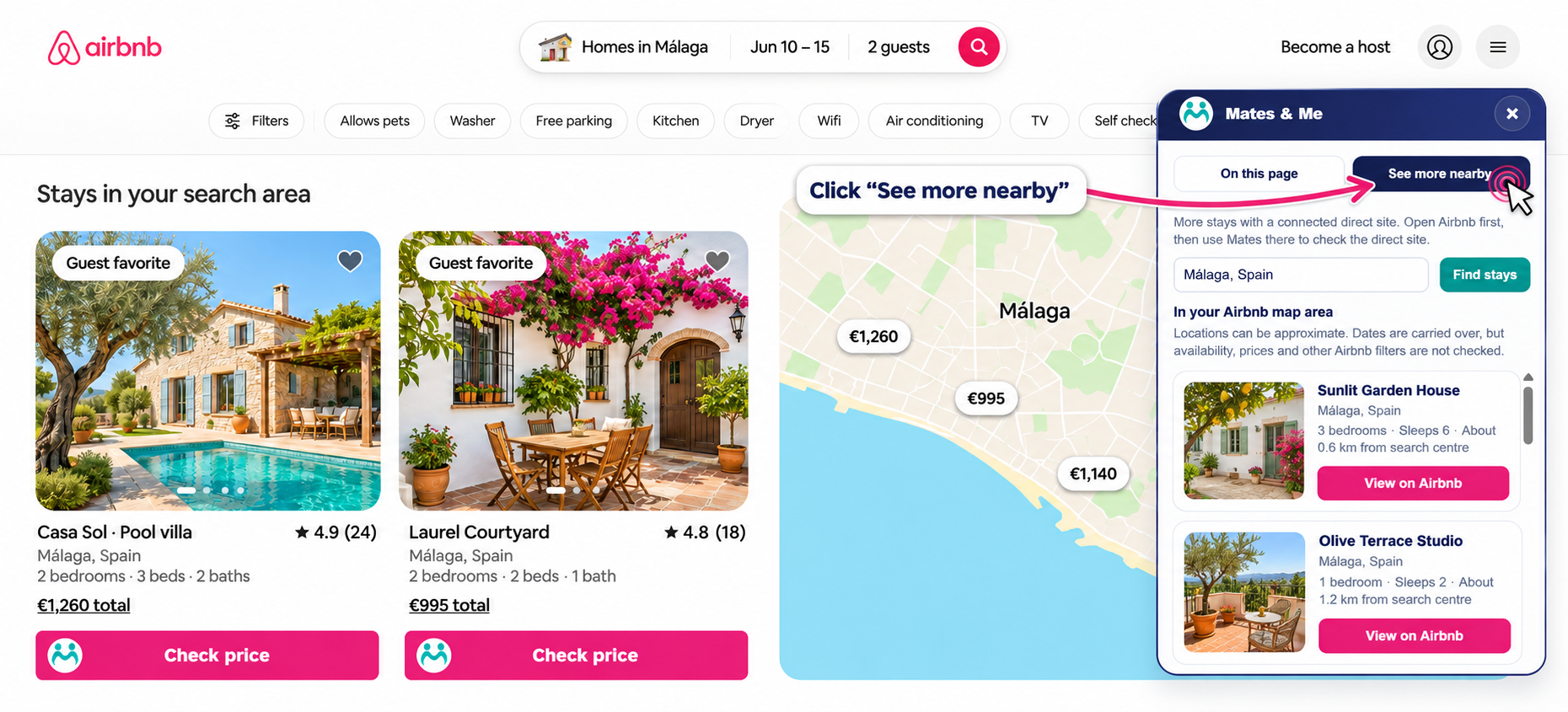 View larger
Nearby suggestions don’t confirm availability or prices. Check the dates, guests and details for each stay.
Edited screenshots. Property photos, names and booking details are fictional examples.
A place for hosts, too
Your own booking website deserves to be part of the conversation. Submit your site so Mates can review how it connects to your Airbnb properties.
Good questions
No big promises. Just a useful way
to compare your booking options.
Booking direct means booking the same stay with the host or property management company behind the Airbnb listing, through their own booking website. The people looking after the property are the same; the website you book through is different.
Your booking is made through the site you choose. Prices, payment arrangements, cancellation terms and support can differ, so check the details before booking.
Sometimes it is, sometimes it isn’t. Mates highlights the lower of the two totals you compare. Check the same dates, guest count, currency, fees and cancellation terms before choosing.
Not yet. Mates shows a direct option when it has a connection for that property. We’re adding matched properties as quickly as we can, but coverage still varies by area and property.
See the areas with good coverage right now. If you don’t find a match, try “See more nearby” or check back as coverage grows.
First open a direct booking option through Mates on Airbnb. On the direct site, click your pinned Mates icon, choose “Pick this total”, and click the final total for the whole stay. Mates then compares it with the Airbnb total.
The extension currently works in desktop Chrome. You can explore this website on a phone, but you’ll need a computer to install and use Mates Rates Check.
You book with the website you choose. That provider handles payment, confirmation, cancellations and support for the booking. Mates helps you compare your options before you decide.
Mates Rates Check is free to install and use. Travellers do not need a Mates account to use the extension.
Before you book your next stay
Bring Mates along on your next Airbnb search.